
What is an IT Ticketing System?
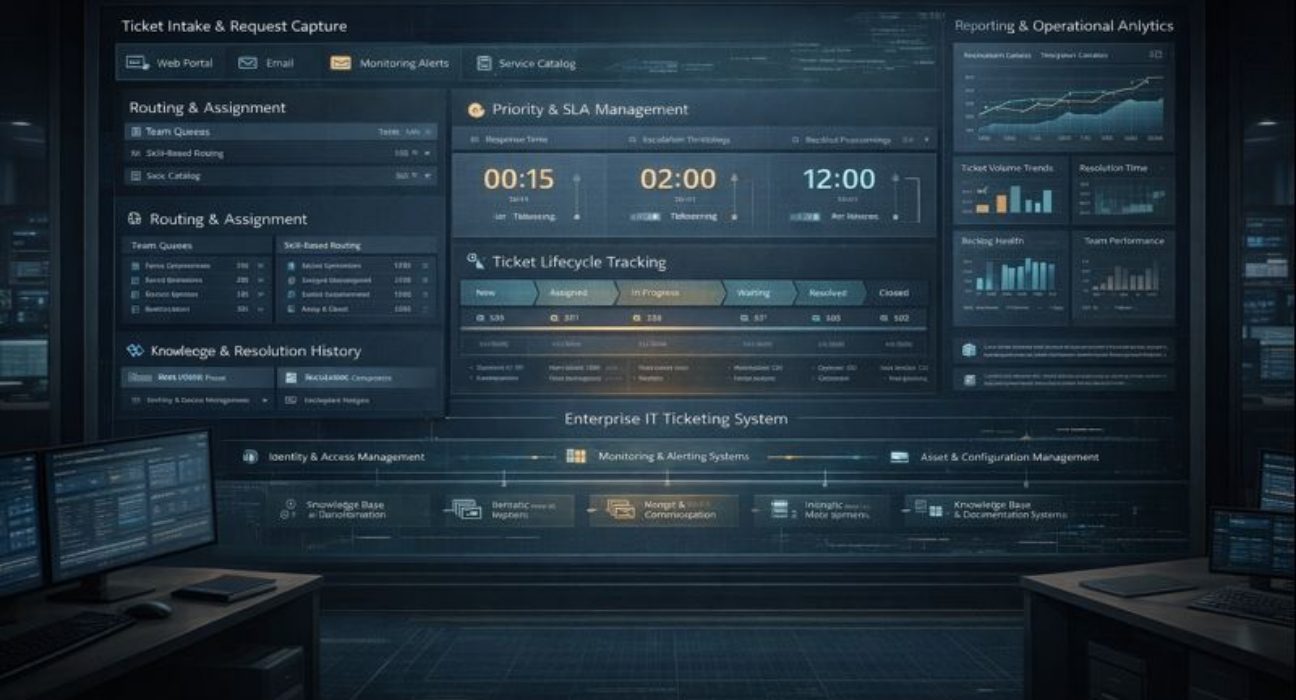
An IT ticketing system is software that manages support requests, technical issues, and service requests from employees or customers. It captures each request as a ticket with a unique identifier, routes it to the appropriate support team, tracks progress through resolution, and maintains a complete record of all actions taken.
The fundamental purpose is simple: ensure IT support requests are handled systematically rather than getting lost in email inboxes, forgotten in verbal conversations, or addressed inconsistently depending on who happens to receive them.
The Problem IT Ticketing Systems Solve
Small IT teams can manage support requests informally. Someone sends an email asking for help. A technician responds and fixes the problem. The email thread contains the history. This works until the organisation grows beyond a certain size.
At enterprise scale, informal approaches fail predictably. An IT department supporting 5,000 employees receives dozens or hundreds of requests daily. These arrive through email, phone calls, instant messages, and hallway conversations. Without structure, several problems emerge quickly.
Requests get lost or forgotten. When support requests live in individual email inboxes, what happens when that person is out sick, on vacation, or simply overwhelmed? Urgent issues sit unaddressed because nobody realised they existed. Users get frustrated sending repeated emails asking about the status.
Accountability disappears. When multiple technicians might handle a request, who actually owns it? When work stalls, who is responsible for moving it forward? When something takes too long, who should management talk to about why? Without clear ownership, blame shifts and problems persist.
Priority gets lost in volume. A mission-critical system outage arrives through the same email channel as a request to install desktop software. Both look like emails in an inbox. The urgent issue receives no special treatment unless someone manually recognises its importance and escalates.
Knowledge remains trapped in individual experiences. When a technician solves a problem, that solution exists only in their memory and perhaps an email thread. The next person who encounters the same issue starts from scratch. Patterns that might indicate systemic problems remain invisible because data is scattered across hundreds of email threads.
Performance cannot be measured. How many issues is the IT team handling? How long does resolution typically take? Are certain types of problems consuming disproportionate time? Which team members are overloaded? These questions cannot be answered without structured data.
How IT Ticketing Systems Work
Modern IT ticketing systems provide structured environments where support requests flow through defined processes with visibility and control.
Users submit requests through web portals, email, phone calls logged by help desk staff, mobile apps, or automated monitoring that creates tickets when systems detect problems. Regardless of how a request arrives, it becomes a ticket in the system with a unique number, timestamp, description, and requester information.
The system routes tickets to appropriate teams or individuals based on rules. Password resets go to level one support. Network issues route to the network team. Application problems go to application specialists. Rules can consider factors like request type, urgency, requester location, or current team workload.
Each ticket has a status showing where it sits in the resolution process: new, assigned, in progress, waiting for information, resolved, or closed. Users can check the status at any time. Support staff see queues of tickets organised by priority, age, or assignment.
Communication happens within the ticket rather than separate email threads. Users and support staff exchange messages attached to the ticket. Everyone involved sees the complete conversation. When tickets get reassigned, the new owner sees everything that happened previously.
Priority and service level agreements ensure important issues receive appropriate attention. Tickets can be marked urgent based on business impact. SLAs define target response times and resolution times. The system tracks tickets against these targets and alerts when targets risk being missed.
Resolution documentation captures how problems were fixed. When technicians resolve tickets, they document what was wrong and what they did. This creates a searchable history. Future technicians encountering similar issues can reference previous solutions.
Reporting provides visibility into IT support operations. How many tickets are opened daily? What are average resolution times by category? Which issues consume the most effort? Where are bottlenecks? This data enables performance management and capacity planning.
Why Enterprise Deployments Get Complex
Small organisations can implement IT ticketing systems relatively simply. Their needs are straightforward. Their support processes are uniform. Integration requirements are modest.
Enterprise deployments encounter complexity that changes implementation difficulty significantly.
First, enterprise IT organisations typically have multiple specialised teams with different workflows. Desktop support, network operations, application support, security incident response, and database administration all handle different types of requests requiring different processes. A single ticketing system must accommodate this diversity while maintaining unified visibility.
Second, enterprise IT serves diverse user populations with different expectations and needs. Executive users expect rapid response and white-glove service. Factory workers need simple mobile interfaces for submitting tickets from the production floor. Remote employees access IT support from anywhere. Call center operations require bulk ticket handling capabilities. One interface cannot serve all these audiences effectively.
Third, integration with other enterprise systems determines whether the ticketing system becomes a unified hub or an isolated application. Integration with identity management provides single sign-on and automatic user provisioning. Integration with monitoring tools creates tickets automatically when systems fail. Integration with asset management connects tickets to affected equipment. Integration with knowledge bases surfaces relevant articles during ticket resolution. Without these integrations, support staff waste time switching applications and manually transferring information.
Fourth, service level commitments vary by user population or service type. VIP executives might have two-hour response SLAs. Standard employees might have four-hour SLAs. Different service types have different resolution targets. The system must track multiple SLA frameworks simultaneously and escalate appropriately when targets risk being missed.
Fifth, data governance becomes complicated at enterprise scale. How should issue categories be structured? Who can change ticket priority? When can tickets be closed without user confirmation? What reporting access should different managers have? These organisational questions must be resolved before the system can be configured properly.
Essential Capabilities for Enterprise Use
Enterprise IT ticketing systems require capabilities beyond basic request tracking.
Multi-tier support routing allows tickets to flow through levels of support expertise. Level one handles common requests like password resets. Complex issues escalate to level two specialists. The most difficult problems reach level three expert engineers. The system must route intelligently and maintain a complete history through escalations.
Workflow automation reduces manual effort and ensures consistency. Common requests like password resets can be automated. Tickets can route automatically based on sophisticated rules. Notifications go to the appropriate people at the appropriate times. Approval workflows route certain requests through managers or security teams before work begins.
Self-service capabilities reduce ticket volume while empowering users. Knowledge bases let users find solutions without creating tickets. Password reset portals let users fix common problems themselves. Status pages show system health and planned maintenance. Request catalogs let users order standard services. Well-implemented self-service can reduce ticket volume by 30 to 40 percent.
Mobile access matters for both users submitting tickets and technicians working in the field. Users need to submit and check tickets from phones or tablets. Field technicians need to update tickets while working in data centers, wiring closets, or remote offices.
Change management integration connects tickets to change requests. When fixes require system changes, the ticketing system should link to change management processes, ensuring proper approval and documentation. This prevents well-intentioned fixes from causing unintended problems.
Asset management integration connects tickets to affected equipment, software, or infrastructure. When working on a ticket, technicians should see what hardware the user has, what software is installed, and relevant configuration details. This reduces the time spent gathering basic information.
Reporting and dashboards provide operational visibility. Real-time dashboards show current ticket volume, tickets approaching SLA deadlines, and team workload. Historical reports show trends, performance metrics, and areas needing improvement. Executive dashboards provide high-level views appropriate for leadership.
Common Implementation Challenges
Most enterprises underestimate what a successful IT ticketing system deployment requires. The software itself is mature. Making it work effectively across the organisation is where programs face difficulty.
Process standardisation becomes contentious. Different IT teams have evolved different approaches to handling work. Desktop support uses one process. Network operations uses another. Application teams have their own methods. The ticketing system forces these teams to use common structures for categorisation, priority, and workflow. Reaching an agreement takes negotiation and sometimes executive intervention.
Category structures seem simple until you try to create them. How granular should categories be? Should “email not working” be one category or split into multiple categories for different types of email problems? Too few categories and reporting lacks useful detail. Too many categories and users cannot find the right one. There is no perfect answer, only workable compromises.
Integration scope grows during implementation. Initial plans might include integration with Active Directory and monitoring tools. Then someone realises the asset management system should connect. The knowledge base needs integration. The change management system should be linked. Each integration adds time and complexity.
Data migration from legacy ticketing systems presents difficult decisions. Historical tickets contain valuable information, but migrating everything might not be practical or worthwhile. What time period should be migrated? How should old categories map to new structures? What happens when old data is incomplete or inconsistent?
User adoption determines whether the system succeeds or becomes a compliance checkbox. If submitting tickets through the new system is harder than sending an email to familiar support staff, users will resist. If technicians find the interface cumbersome, they will do the minimum required work in the system and keep real notes elsewhere.
How Ozrit Approaches IT Ticketing Implementation
We have implemented IT ticketing systems for large enterprise IT organisations supporting tens of thousands of users across global operations. At Ozrit, our approach reflects practical experience with what works at scale.
We invest significant time upfront understanding current support operations before configuring anything. This means observing how different IT teams actually work today, identifying pain points, understanding why current processes exist, and designing future-state processes that improve on today, while remaining realistic to implement. This work involves support staff, team leads, and IT leadership, and it prevents the common problem where new systems simply automate existing dysfunction.
Our implementation teams include people with operational IT backgrounds, not just technical consultants. They have worked in help desk operations, desktop support, or infrastructure teams and understand IT support from firsthand experience. This enables credible, practical conversations with IT leaders about workflow design, SLA structures, and escalation procedures.
Implementations are structured in clear phases that deliver working capability progressively. A typical program might begin with incident management for desktop support, validate platform reliability, and then expand to additional IT teams and introduce capabilities such as self-service or advanced automation. This phased approach builds confidence and allows lessons from early phases to inform later stages.
Integration receives structured attention throughout the program. Requirements are mapped early, integration architecture is designed with proper error handling, and integrations are built and tested systematically. Data flows are validated under realistic operating loads. Delivery teams include integration specialists experienced with enterprise systems such as Active Directory, monitoring platforms, and asset management tools.
Knowledge transfer happens throughout implementation, so internal IT teams can administer and evolve the system after initial deployment. Configurations are documented, administrators are trained, and internal teams are supported during early operation. The objective is to build sustainable internal capability rather than ongoing reliance on external consultants.
We provide 24/7 support after go-live because IT support operates continuously across global environments. When issues occur at 2 am or over weekends, organisations need assistance from people who understand their specific implementation. Ozrit support teams combine platform expertise with IT service management knowledge to resolve issues quickly and effectively.
A typical enterprise IT ticketing implementation runs 4 to 9 months, depending on platform selection, scope, integration complexity, and the number of IT teams supported. These timelines reflect delivery experience from real programs, not optimistic projections. Delivery teams are sized appropriately for enterprise environments, typically 4 to 8 people, including project managers, business analysts, technical architects, integration specialists, and training coordinators.
Getting Value Beyond Basic Tracking
Organisations that implement IT ticketing systems primarily for tracking and accountability get that value but often stop there. Those who leverage the system more strategically discover additional benefits.
Ticket data reveals patterns enabling proactive improvement. High ticket volumes for specific issues suggest problems worth fixing permanently rather than repeatedly handling similar requests. Long resolution times for certain categories indicate process problems, skill gaps, or insufficient resources. Recurring tickets from specific users or departments might indicate training needs or systemic issues.
Automation can progressively reduce manual effort. After basic ticketing is working, organisations can identify high-volume, routine requests suitable for automation. Password resets, software installations, and access requests can be partially or fully automated, freeing technicians for complex work requiring human judgment.
Self-service reduces ticket volume while improving user satisfaction. When users can find solutions in knowledge bases, reset their own passwords, or check ticket status without calling the help desk, they get faster service while the help desk handles fewer tickets.
Capacity planning becomes data-driven. Ticket volume trends inform staffing decisions. Resolution time metrics show whether teams have adequate resources. Workload distribution reveals whether some teams are overloaded while others have capacity.
The Operational Reality
IT ticketing systems provide essential infrastructure for enterprise IT operations, but their value depends on thoughtful implementation and sustained operational attention.
The platform choice matters less than most organisations think. Leading platforms all provide core capabilities. Success depends more on process design, integration quality, change management effectiveness, and ongoing system administration.
Implementation requires more than technical configuration. It requires process standardisation, organisational alignment, change management, and realistic timelines. Organisations that rush implementation or treat it purely as a technical project typically encounter adoption problems.
Ongoing operation requires continued attention. Workflows need adjustment as IT operations evolve. Knowledge bases require maintenance. Performance metrics need regular review. The system must evolve with the organisation rather than becoming a rigid infrastructure.
For technology leaders evaluating IT ticketing systems, the critical questions are not primarily about feature lists but about implementation approach, team experience, realistic timelines, and sustained support. These execution factors determine whether ticketing systems deliver operational improvement or simply digitise existing problems without fundamentally improving how IT support works.