
Best Food Processing ERP Software: A Complete Guide
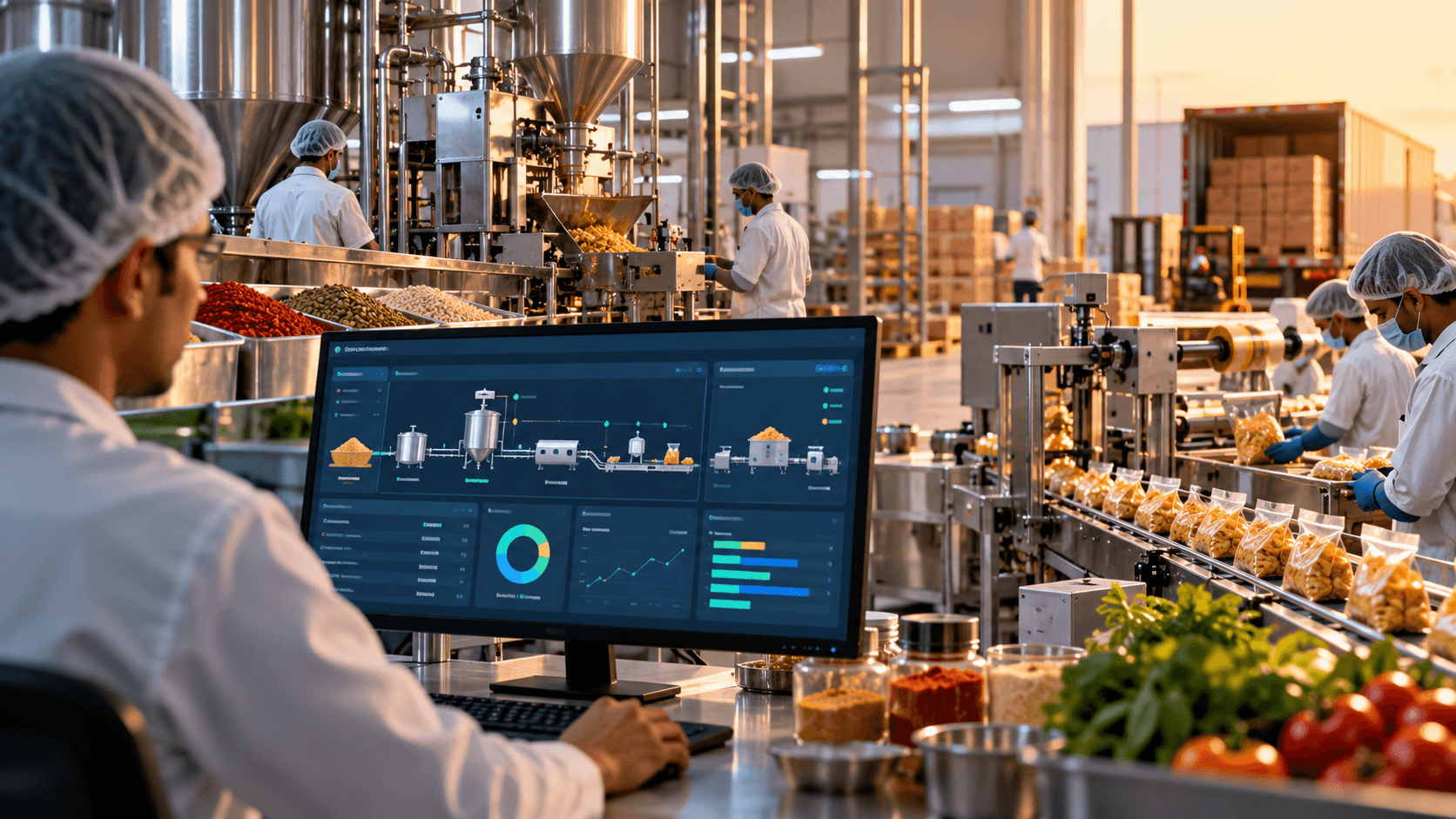
Food processing is not just about making a good product. A manufacturer must manage raw materials, recipes, production schedules, quality checks, packaging, storage, dispatch and accounts, often at the same time.
When these activities are handled through separate spreadsheets and disconnected software, things can quickly get out of hand. A production team may not know that an ingredient is running short. The warehouse may have stock that is close to expiry. The finance team may struggle to understand why the cost of a finished product has increased.
This is where food processing ERP software can make a real difference.
A well-planned ERP system connects different departments, keeps information in one place and helps management make better decisions. But with several ERP products and custom development options available, how do you choose the right one for your business?
Let’s look at what food manufacturers should consider before investing in an ERP system.
What Is Food Processing ERP Software?
Food processing ERP software is a business management system designed to connect the main operations of a food manufacturing company.
ERP stands for Enterprise Resource Planning. Instead of maintaining separate systems for purchasing, production, inventory, quality, sales and accounts, an ERP brings these activities together.
For example, imagine a packaged snacks manufacturer in Hyderabad.
The purchase team orders flour, edible oil, spices and packaging materials. The production team uses these ingredients to manufacture snacks. The quality team checks the finished batches, while the warehouse team manages stock and dispatches orders to distributors.
Without an integrated system, each team may maintain its own records. The production figures may not match the inventory records, and the finance team may have to spend hours reconciling the numbers.
With a properly configured ERP, a production batch can be linked to its ingredients, consumption, quality checks, finished stock and dispatch records.
Everyone works with connected information rather than trying to piece together the full picture at the end of the month.
Why Food Manufacturers Need a Dedicated ERP
A general business management system may handle accounting, sales and stock reasonably well. Food manufacturing, however, has additional requirements that need careful attention.
1. Managing recipes and formulations
Food products depend on consistent recipes and ingredient specifications.
A bakery may use a particular ratio of flour, sugar, fat and other ingredients. A spice manufacturer may need to maintain precise blending ratios across different product grades.
If recipe changes are not properly controlled, product quality and production costs can vary.
Food processing ERP software can maintain approved formulations, record revisions, calculate ingredient requirements and compare planned consumption with actual usage.
This becomes especially useful when a manufacturer has multiple products, different pack sizes or frequent formulation changes.
2. Tracking batches from raw material to finished goods
Knowing what is in stock is important. Knowing where it came from and which finished products used it is equally important.
Suppose a supplier delivers a batch of raw material to a food factory in Gujarat. The material passes inspection and is used in several production batches.
If a quality issue is reported later, the manufacturer needs to identify the affected production batches and determine where those products were dispatched.
An ERP with properly configured lot traceability can connect supplier lots, material receipts, production batches, finished goods and dispatch records.
This helps teams investigate issues more quickly and maintain better records for product recalls.
3. Reducing expiry-related losses
Food businesses often deal with ingredients and finished products that have limited shelf lives.
When inventory is managed manually, older stock can remain unused while newer stock is issued first. Products may also expire before they reach the customer.
An ERP can record batch dates, expiry dates and shelf-life information. Warehouse teams can use First Expiry, First Out (FEFO) rules to prioritise stock that expires sooner.
The system can also flag stock approaching expiry and help purchasing teams make better decisions.
These controls do not eliminate waste on their own, but they give the business better visibility and a clearer basis for action.
4. Understanding actual production costs
A product’s cost includes more than the price of its ingredients.
Manufacturers may also need to account for packaging, labour, energy, production overheads, wastage and other operating expenses.
For example, if a snack manufacturer plans to produce 1,000 kg of finished goods but achieves a lower usable output, the actual cost per kilogram may be higher than expected.
An ERP can compare planned and actual material consumption, production output and allocated costs. This helps management understand where the difference comes from.
When raw-material prices change, the business can also assess how those changes affect product margins.
5. Connecting production, inventory and dispatch
A production plan is only useful when the necessary materials are available and finished goods can be dispatched on time.
An integrated ERP can connect sales orders with stock availability, production requirements, purchasing and warehouse operations.
If a distributor places an order, the system can help the team check available stock and identify whether additional production is required.
This improves coordination between sales, production, procurement and dispatch teams.
Essential Features to Look for in Food Processing ERP Software
Not every food manufacturer needs the same modules. A small spice unit and a multi-plant dairy business will have different requirements.
However, the following features deserve close attention when comparing food processing ERP software.
Production planning and batch management
Look for the ability to create production plans, generate work orders, record batch details, monitor production stages and capture actual output.
The system should help compare planned production with actual results, including material consumption and wastage.
Recipe and formulation management
The software should maintain ingredient specifications, approved recipes, revision history and the quantity of materials required for different production volumes.
Where needed, it should also support approvals before a formulation change is used in production.
Inventory and warehouse management
Check whether the system can manage raw materials, packaging materials, work-in-progress and finished goods separately.
Batch tracking, expiry management, multiple warehouses, stock transfers and FEFO picking can be important for food manufacturers.
Quality management
Quality checks may be required when materials arrive, during production and before finished products are released.
The ERP should allow the business to record inspection results, define acceptance criteria, flag rejected materials and maintain a history of quality decisions.
The exact workflow will depend on the product and the manufacturer’s quality procedures.
Traceability and recall support
Ask the vendor to demonstrate both forward and backward traceability.
Can the team identify the ingredients used in a finished batch? Can it identify all affected batches when a particular raw-material lot is flagged? Can it trace the finished products to their dispatch records?
A live demonstration of these workflows is more useful than a simple statement that the software supports traceability.
Purchasing and supplier management
The system should help manage suppliers, purchase orders, material receipts, supplier documentation and incoming quality inspections.
Connecting purchasing with production requirements can also reduce unnecessary stock accumulation and last-minute material shortages.
Finance and costing
Look for material costing, inventory valuation, production cost allocation, purchase and sales accounting, GST-related workflows and financial reporting.
If the company already uses an accounting package, ask how the ERP will exchange information with it.
Reporting and management dashboards
Management should be able to review useful measures such as:
- Production output and yield
- Material consumption and wastage
- Inventory ageing and expiry exposure
- Supplier performance
- Batch quality status
- Product-level manufacturing costs
- Sales and inventory trends
- Plant-level performance
Dashboards should help managers act on problems, not simply display colourful charts.
How to Compare ERP Software Vendors
Once the requirements are clear, compare vendors on more than the number of features they advertise.
Check how well the software fits your operations
Ask vendors to demonstrate your actual workflows.
A dairy business should see milk procurement and processing examples. A bakery should see recipe management, production scheduling and shelf-life controls. A spice manufacturer should examine blending, material traceability and batch consistency.
A generic sales presentation may look impressive, but the real test is whether the software can support the way your factory works.
Understand the full implementation cost
The software licence or development fee is only one part of the investment.
Also consider configuration, customisation, data migration, integrations, user training, hosting, support and future upgrades.
Request a clear breakdown of the initial and recurring costs. For custom development, agree on the scope, milestones, acceptance criteria and ownership arrangements before work begins.
Ask about integration
Many manufacturers already use accounting software, barcode scanners, weighing systems, laboratory equipment or warehouse tools.
Find out which integrations are available and which will require additional development.
An ERP should fit into the existing technology environment wherever practical, rather than creating another isolated system.
Evaluate support and scalability
Ask how the vendor handles software updates, technical issues, backups, user training and future enhancements.
If you plan to add factories, warehouses, product lines or distribution channels, understand how the proposed system will accommodate that growth.
Request a realistic demonstration
Ask the vendor to show a complete workflow, such as:
Purchase raw materials → Receive and inspect materials → Create a production batch → Record consumption and output → Release finished goods → Dispatch an order → Review the production cost.
This single exercise can reveal more about the system’s suitability than a long list of advertised features.
Custom ERP vs Ready-Made Food Processing ERP
One of the biggest decisions is whether to purchase an existing ERP product or develop a system tailored to your business.
Both options can be suitable. The right choice depends on your requirements, budget, timeline and long-term plans.
When ready-made ERP software makes sense
An existing product may be a good choice when its standard modules cover most of your requirements.
It can offer established workflows, a known product roadmap and industry-specific functions without requiring every feature to be developed from scratch.
However, you should check the cost of licences, customisation, integrations and ongoing support. Also confirm whether the product can accommodate your specific manufacturing processes.
When custom ERP development makes sense
Custom development may be worth considering when your workflows are unusual, your existing systems need specialised integrations, or your business needs greater control over the software roadmap.
For example, a manufacturer operating multiple production units may need specific approval flows, batch-level costing, dealer integrations and reports that do not fit neatly into a standard product.
A custom ERP can be designed around those requirements. However, it also requires careful planning, development, testing, maintenance and a clear agreement on ownership.
Custom software is not automatically cheaper or faster. The business case should be based on the requirements and the full cost over time.
What about SAP?
SAP and other established enterprise platforms can be suitable for businesses with complex operations and extensive integration needs.
A custom ERP may be more appropriate for organisations that need specific workflows or a tailored solution. In some cases, custom applications integrated with an existing ERP may be the better option.
The decision should follow a detailed assessment rather than a blanket preference for one approach.
Food Processing ERP in India: What Should You Consider?
Indian food manufacturers often need to manage different suppliers, regional distribution networks, multiple warehouses and changing raw-material prices.
A suitable ERP should reflect these operating conditions.
FSSAI-related records and food safety
Depending on the business and applicable requirements, the system may need to maintain relevant licence records, quality documentation, inspection results, traceability information and recall records.
Software can help organise these workflows and make records easier to retrieve. It does not automatically guarantee compliance with FSSAI requirements or replace the manufacturer’s responsibility to follow applicable regulations.
GST and accounting workflows
Check whether the software supports the required GST invoicing and accounting processes, including applicable e-invoicing requirements.
If an existing accounting system is retained, define how purchase, sales, inventory and financial information will move between systems.
Local suppliers and distribution
Manufacturers may purchase ingredients and packaging from suppliers across Telangana, Andhra Pradesh, Maharashtra, Gujarat and other states.
An integrated system can help track purchase orders, supplier performance, stock availability and dispatches across locations.
For businesses supplying distributors and retailers, it can also connect sales orders with inventory and production planning.
Regional operations and mobile access
Some factories need mobile access for stock checks, quality inspections, goods receipt and production updates.
If internet connectivity is unreliable in certain areas, evaluate whether offline access is necessary and how records will synchronise once connectivity returns.
These requirements should be identified before choosing or developing the ERP.
Common Mistakes to Avoid When Selecting Food ERP Software
A few mistakes can turn an ERP investment into an expensive headache.
Choosing based on price alone: A low initial quote may not include necessary integrations, migration, training or support.
Buying too many modules at once: Start with the business-critical requirements and plan additional modules according to priorities.
Ignoring data quality: Incorrect material codes, duplicate supplier records and incomplete stock data can undermine even a good ERP implementation.
Overlooking employee training: Production, warehouse and finance teams need to understand the new workflows. Otherwise, they may continue maintaining separate spreadsheets.
Skipping user acceptance testing: Test real scenarios before the system goes live, including rejected materials, production variance, stock adjustments and recall investigations.
Failing to plan for traceability: Decide early how batch numbers, material lots, production records and dispatch information will be captured and connected.
Assuming the ERP will solve every problem: Software can improve visibility and control, but processes, responsibilities and data discipline must also be in place.
A Practical Checklist Before You Finalise Your ERP
Before signing an agreement with a vendor or starting a custom development project, answer these questions:
- Have we documented our production and inventory workflows?
- Can the system manage our recipes, batches and material consumption?
- Can we trace raw materials through production to dispatch?
- Does it support our quality and expiry-management requirements?
- Can it calculate production costs using an agreed costing method?
- Will it integrate with our existing accounting and operational systems?
- Have we included migration, training, support and upgrades in the budget?
- Have the actual users tested the proposed workflows?
- Are implementation milestones and acceptance criteria documented?
- Do we understand data access, source-code ownership and exit arrangements?
If several answers are unclear, spend time defining the requirements before committing to a solution. A little planning at the beginning can save considerable rework later.
How Ozrit Can Help With Food Processing ERP Development
Every food manufacturing business has its own way of working. A dairy plant, a packaged-snacks factory and a spice processing unit may all need production planning and inventory management, but their operational details are different.
Ozrit AI Solutions develops custom enterprise software and can work with businesses to define the requirements for a food processing ERP, plan its architecture, build the required modules and integrate the solution with existing systems.
Depending on the agreed project scope, a custom solution can connect production planning, recipe management, procurement, inventory, quality records, batch traceability, finance and distribution.
The process should begin with understanding your current operations, identifying the most important problems and deciding which modules should be implemented first.
If a ready-made ERP already meets your requirements, that may be the more practical choice. If your business needs specialised workflows or integrations, a custom solution may deserve a closer look.
Planning a food processing ERP for your business?
Explore Ozrit’s Food Processing ERP Development services to learn more about building a solution around your manufacturing requirements.
You can discuss your production workflows, existing software, integration needs and business goals with the Ozrit team before deciding on the right approach.
Frequently Asked Questions
Which is the best food processing ERP software?
The best option depends on your manufacturing processes, business size, budget, integration needs and long-term plans. Compare vendors using actual workflows for production, traceability, quality, inventory and costing rather than relying on feature lists alone.
How much does food processing ERP software cost in India?
The cost varies according to the software product, number of users, modules, plants, integrations, implementation effort and support requirements. Custom ERP development requires a defined scope before a meaningful estimate can be prepared.
Can ERP software manage batch traceability?
Yes, a suitably configured ERP can connect supplier lots, raw materials, production batches, finished goods and dispatch records. The effectiveness of traceability depends on how the system is designed and how accurately the business records its operations.
Can a food processing ERP manage expiry dates?
Many ERP systems can record batch dates, expiry dates and shelf-life information. Depending on the system, they can also support FEFO picking, stock alerts and expiry-related reports.
Is custom ERP better than ready-made ERP software?
Not in every case. Ready-made ERP may be preferable when standard features meet most requirements. Custom development may suit businesses with specialised workflows, integration needs or specific software ownership requirements.
How long does food processing ERP implementation take?
The timeline depends on the modules, data migration, number of facilities, integrations, testing and training involved. A phased implementation can help businesses prioritise essential workflows before adding more functionality.
Can an ERP support FSSAI-related requirements?
An ERP can be designed to maintain relevant records, inspections, traceability data and documentation. The business must still ensure that its actual operations and processes comply with applicable FSSAI requirements.
Can a food processing ERP integrate with accounting software?
Yes, integration may be possible through APIs, connectors or other supported data-exchange methods. The exact approach depends on the accounting product, ERP architecture and the information that needs to be synchronised.