
Construction Project Costing Software: A Complete Guide
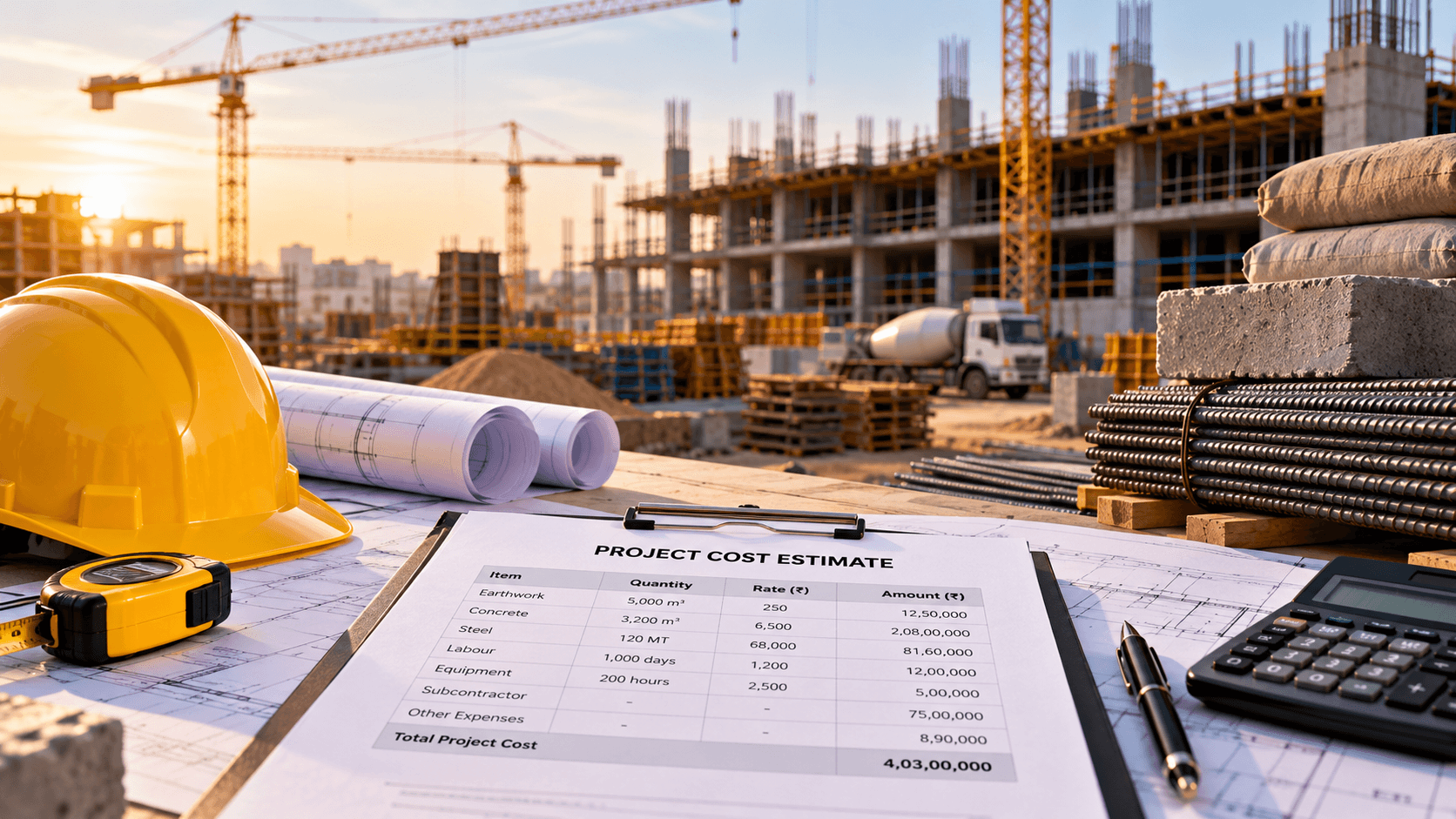
Construction projects involve multiple cost components, including materials, labour, equipment, subcontractors, transportation and site expenses. Even a small estimation error or an unexpected increase in material costs can affect the overall project budget.
For construction companies managing multiple projects, tracking these expenses through separate spreadsheets and accounting records can make it difficult to understand the actual financial position of each project.
Construction project costing software helps businesses estimate project costs, allocate budgets, record actual expenditure and monitor cost variations throughout the construction lifecycle. When connected with procurement, inventory, contractor billing and accounting, it provides a clearer view of where project money is being spent.
For businesses that need these capabilities alongside other operational functions, an integrated construction ERP software solution can connect project costing with day-to-day construction operations.
What Is Construction Project Costing Software?
Construction project costing software is a digital system used to estimate, allocate, track and analyse the costs associated with construction projects.
It helps project managers, quantity surveyors, finance teams and business owners understand the financial requirements of a project and compare planned costs with actual expenditure.
Depending on the software, its features may include:
- Project estimation and budgeting
- Bill of Quantities (BOQ) management
- Material and labour cost tracking
- Equipment and machinery expenses
- Subcontractor costs and work bills
- Purchase order and supplier cost tracking
- Site-level expenses
- Budget revisions and approvals
- Actual versus estimated cost reports
- Project-wise profitability analysis
The goal is not simply to record expenses. It is to connect each cost to the correct project, activity, material, contractor or budget category so that managers can make informed decisions.
Why Construction Companies Need Project Costing Software
Construction costs change throughout a project. Material prices fluctuate, site conditions can differ from initial assumptions, work schedules may change and additional activities may require approval.
Without a consistent costing process, managers may discover budget problems only after a significant amount has already been spent.
1. Difficulty tracking actual project costs
A construction project may involve expenses recorded by procurement, site engineers, contractors and the accounts team. When these records are maintained separately, consolidating the total project cost becomes time-consuming.
Project costing software brings cost records into a structured system, making it easier to review expenditure by project and cost category.
2. Material price fluctuations
Materials such as cement, steel, sand, aggregates, electrical components and finishing materials can account for a significant portion of construction expenditure.
When purchase prices change, the original estimate may no longer reflect the expected final cost. A costing system helps compare estimated rates with actual purchase costs and identify significant variations.
3. Limited visibility into site expenses
Construction sites generate expenses for labour, transportation, equipment hire, fuel, consumables and other operational needs.
If these expenses are not assigned to the correct project or activity, project reports may not reflect the true cost of execution.
4. Delays in contractor bill verification
Contractor and subcontractor payments often depend on completed work, measured quantities, agreed rates and approval records.
A structured costing workflow can connect work orders, measurement records, submitted bills and approved payments, depending on the business requirements.
5. Budget overruns discovered too late
A project can exceed its budget because of increased material consumption, rework, equipment downtime, scope changes or unplanned expenses.
Regular cost reporting helps managers identify adverse trends earlier and investigate the reasons before the financial impact becomes larger.
Essential Features of Construction Project Costing Software
The right feature set depends on the size of the business, the type of construction work and the complexity of its cost-control process.
1. Project estimation and budgeting
Project estimation establishes the expected cost of completing the work. A software system can organise the estimate into cost heads, activities, quantities, rates and other relevant components.
Useful capabilities include:
- Creating project estimates
- Defining cost categories
- Recording quantities and unit rates
- Allocating budgets to project activities
- Comparing alternative estimates
- Recording approved budget revisions
- Maintaining a history of changes
For example, a commercial building project may have separate budgets for civil works, structural steel, electrical installations, plumbing, interiors and external development.
A structured estimate makes it easier to understand how each category contributes to the total budget.
2. Bill of Quantities (BOQ) management
The Bill of Quantities is an important reference for estimating and measuring construction work.
BOQ management software can help organise item descriptions, units, quantities, rates and estimated values. Depending on the implementation, BOQ items can also be linked to procurement, work orders, progress measurements and cost reports.
For instance, if the BOQ specifies a quantity of steel for a project, the business can compare the planned requirement with procurement records and actual material consumption.
BOQ-based costing is particularly useful when a project has multiple work packages or subcontractors.
3. Material cost tracking
Material costing should account for both the quantity consumed and the price paid.
A construction costing system can connect purchase orders, supplier invoices, goods receipts, material issues and stock records to project cost categories.
This helps answer practical questions:
- How much has been spent on steel for a particular project?
- Which materials are exceeding their estimated costs?
- How much material has been issued to each site?
- Are actual consumption quantities consistent with project requirements?
- Which material purchases need further review?
Accurate results depend on recording material movements and allocating costs consistently.
4. Labour cost management
Labour costs may include direct employees, site workers, temporary labour and subcontracted workforce expenses.
Depending on the workflow, the software can record labour allocation, attendance, work hours, wage costs and contractor labour bills against the relevant project or activity.
This enables managers to compare planned labour costs with actual expenditure and investigate activities where costs are higher than expected.
Payroll calculations and statutory deductions may require integration with a dedicated HR or payroll system.
5. Equipment and machinery costing
Construction equipment creates costs through purchase or rental charges, fuel, repairs, maintenance and operating hours.
Project costing software can help allocate these expenses to projects based on agreed methods, such as usage hours, rental periods or project assignments.
This is useful for businesses that operate equipment across several construction sites and need a clearer understanding of equipment-related expenditure.
6. Subcontractor and contractor cost tracking
Many construction companies outsource activities such as electrical work, plumbing, painting, flooring and structural work.
A costing system can maintain contractor agreements, work orders, agreed rates, measured quantities, submitted bills and payment status.
Where required, it can support retention amounts, deductions and variations according to the contract terms and approval rules configured for the business.
This helps finance and project teams review committed costs, approved bills and outstanding payments more systematically.
7. Actual versus estimated cost comparison
One of the most useful features is the ability to compare the original estimate with actual expenditure.
A typical report may include:
- Original budget
- Approved revised budget
- Actual expenditure
- Committed costs from purchase orders or contracts
- Remaining budget
- Cost variance
- Forecast cost at completion
Committed costs should be distinguished from actual expenses to avoid counting the same obligation twice.
8. Project expense management
Construction projects incur expenses beyond materials and labour. These may include transport, permits, site utilities, temporary facilities, accommodation, safety supplies and miscellaneous site costs.
A suitable system can capture expense claims, supporting documents, cost categories, approval status and project allocation.
This gives managers a more complete view of project expenditure rather than focusing only on major purchases.
9. Multi-project and site-wise costing
Companies running several projects need to separate financial information by project, site, business unit or client.
Multi-project costing helps managers compare expenditure, review budget utilisation and identify projects that require attention.
Role-based access can also help ensure that site teams view and update the information relevant to their responsibilities.
10. Cost reports and management dashboards
Costing reports should help managers move from raw transactions to actionable information.
Useful reports include:
- Project budget utilisation
- Cost category breakdown
- Material cost variance
- Labour cost reports
- Contractor bill status
- Purchase commitments
- Site expense summaries
- Budget revisions
- Forecast project costs
- Project profitability reports
Dashboards are most useful when they rely on timely transactions, clear cost definitions and consistent reporting rules.
How Construction Project Costing Software Works
A typical project costing workflow follows these stages.
Step 1: Estimate the project. Prepare quantities, rates, labour requirements, material costs, equipment costs and other expected expenses.
Step 2: Create the budget. Organise the estimate into cost categories or work packages and obtain the required approvals.
Step 3: Plan procurement and work packages. Record planned purchases, contractor commitments and other expected costs.
Step 4: Record actual transactions. Capture material receipts and issues, supplier invoices, labour expenses, equipment costs and site expenses.
Step 5: Verify contractor bills. Compare submitted bills with the agreed scope, measured work, rates and approval records.
Step 6: Review cost variations. Compare the original and revised budgets with actual and committed costs.
Step 7: Forecast the final cost. Use completed work, remaining quantities, outstanding commitments and current estimates to assess the likely total project cost.
Step 8: Take corrective action. Investigate significant variations, review procurement decisions and update forecasts or budgets through the appropriate approval process.
The exact workflow varies depending on the type of project, contract structure and internal controls.
Example: Tracking Costs for a Construction Project
Consider a commercial construction project with an approved budget of ₹5 crore.
During execution, the team reviews the following illustrative cost figures.
| Cost category | Budget | Actual expenditure |
|---|---|---|
| Materials | ₹2.00 crore | ₹2.15 crore |
| Labour | ₹1.00 crore | ₹0.95 crore |
| Subcontractors | ₹1.20 crore | ₹1.10 crore |
| Equipment and site expenses | ₹0.80 crore | ₹0.75 crore |
| Total | ₹5.00 crore | ₹4.95 crore |
In this simplified example, actual expenditure is ₹5 lakh below the original total budget. However, material costs are ₹15 lakh above budget, while other categories are below their planned expenditure.
A project manager should not conclude that the project is financially safe based only on the total. The team needs to investigate the material variance, review the remaining work and account for committed costs and future expenses.
This example illustrates why category-level analysis matters as much as the overall project total. It is not a claim about actual customer results.
Construction Project Costing Software vs Accounting Software
Accounting software is essential for recording financial transactions, maintaining ledgers and preparing financial reports. However, it may not provide all the operational detail needed for construction cost control.
| Capability | Accounting software | Construction project costing software |
|---|---|---|
| Financial transactions and ledgers | Core capability | May require accounting integration |
| Project budgets | Depends on the product | Core focus |
| BOQ and quantity-based estimation | Often limited | Can be supported |
| Material consumption by site | Depends on configuration | Can be supported |
| Contractor work measurements | Often limited | Can be linked to costing |
| Budget versus actual analysis | Depends on project features | Core focus |
| Forecast project completion cost | Varies by product | Can be supported |
| Construction-specific cost reporting | Varies by product | Core focus |
An integrated construction ERP can connect project costing with procurement, inventory, contractor management and accounting. The exact capabilities depend on the modules implemented.
How to Choose the Right Construction Project Costing Software
Before selecting a solution, evaluate the following areas.
Understand your costing method
Determine how your company prepares estimates, creates budgets, records costs and forecasts project completion. The system should support the way your projects are measured and controlled.
Check BOQ and estimation capabilities
Confirm that the software can manage your project quantities, units, rates, cost heads and revision requirements.
Review cost allocation
Check whether expenses can be assigned to the correct project, site, activity, cost code or work package.
Verify procurement and inventory integration
Material costs should be connected to purchasing and stock movements where required. Confirm how purchase commitments, receipts, material issues and supplier invoices are handled.
Evaluate contractor billing workflows
If you work with subcontractors, verify how work orders, measurements, submitted bills, approvals and payments are recorded.
Check reporting and forecasting
Review whether the system can compare budgets with actual and committed costs and support estimates of the final project cost.
Assess multi-project requirements
Businesses managing multiple sites may need consolidated reports, site-specific access, separate budgets and inter-project material transfers.
Review integration and implementation costs
Consider data migration, user training, customisation, accounting integration, hosting, support and ongoing maintenance alongside the initial software cost.
Where possible, test the software using a real project estimate and representative transactions before making a decision.
When Should You Consider Custom Construction Project Costing Software?
Ready-made software may be suitable when its standard workflows align with your business requirements.
Custom development may be worth considering when your business needs specialised costing rules, customised BOQ workflows, complex contractor billing, site-specific approvals, multiple legal entities or integration with existing internal systems.
A custom solution can be built as a standalone costing application or as part of a broader ERP platform.
For businesses that need project costing connected with procurement, inventory, contractor management and finance, custom construction ERP software from Ozrit can be scoped around the required workflows.
The right approach should be based on a clear requirements assessment, realistic budget, implementation plan and long-term support needs.
How Ozrit Can Help
Ozrit develops custom software solutions for businesses that need systems aligned with their operational processes.
For construction businesses, a project costing or ERP solution can be designed to support:
- Project estimation and budgeting
- BOQ and work package management
- Material and labour cost tracking
- Equipment and site expense allocation
- Contractor and subcontractor billing
- Budget revisions and approval workflows
- Actual versus estimated cost reporting
- Multi-project dashboards
- Procurement, inventory and accounting integration
The final scope depends on your current systems, project structure, reporting requirements and budget.
If your team is managing construction costs across spreadsheets and disconnected applications, start by identifying the reports and workflows that need better visibility.
Explore Ozrit’s Construction ERP Software to discuss a solution suited to your business.
Frequently Asked Questions
What is construction project costing software?
It is software used to estimate, budget, record and analyse the costs associated with construction projects. It helps businesses compare planned costs with actual expenditure and monitor budget variations.
How does construction project costing software help prevent budget overruns?
It provides visibility into material costs, labour expenses, contractor bills, equipment costs and other project expenditure. Regular comparisons between budgets, actual costs and committed expenses help teams identify adverse trends earlier.
Can construction costing software manage BOQ?
Yes, suitable systems can manage BOQ items, quantities, rates and estimated values. They may also connect BOQ data with procurement, work orders, material consumption and project cost reports.
Can it track costs across multiple construction sites?
Many systems support project-wise and site-wise cost allocation, consolidated reporting and role-based access. Confirm that the product supports your organisational structure and reporting requirements.
Can contractor bills be managed through construction costing software?
A suitable system can record contractor agreements, work orders, measured quantities, submitted bills, approvals and payment status. More specialised workflows may require configuration or custom development.
What is the difference between project costing software and construction ERP?
Project costing software focuses on estimating and tracking project expenses. Construction ERP can connect costing with other business functions, such as procurement, inventory, contractor management, sales and accounting.
How much does construction project costing software cost?
Costs vary according to the number of users, modules, project complexity, integrations, data migration and deployment requirements. Custom development costs should be estimated after the scope is documented.
How long does implementation take?
Implementation depends on the required features, integrations, data quality, user roles and testing requirements. A focused costing system may have a different timeline from a full construction ERP. The schedule should be established after a requirements assessment.
Conclusion
Construction project costing software helps businesses understand how project budgets translate into actual expenditure. By connecting estimates, BOQ, material costs, labour, contractors and site expenses, it gives project teams a more structured way to monitor financial performance.
The most useful system goes beyond recording expenses. It helps managers compare planned and actual costs, investigate variations and forecast the financial requirements of the remaining work.
For construction businesses that need these capabilities connected with procurement, inventory, contractor management and accounts, an integrated construction ERP may be the next step. Start by reviewing your current costing process and identifying the gaps that have the greatest impact on project control.