
Construction ERP Software: How to Choose the Right System
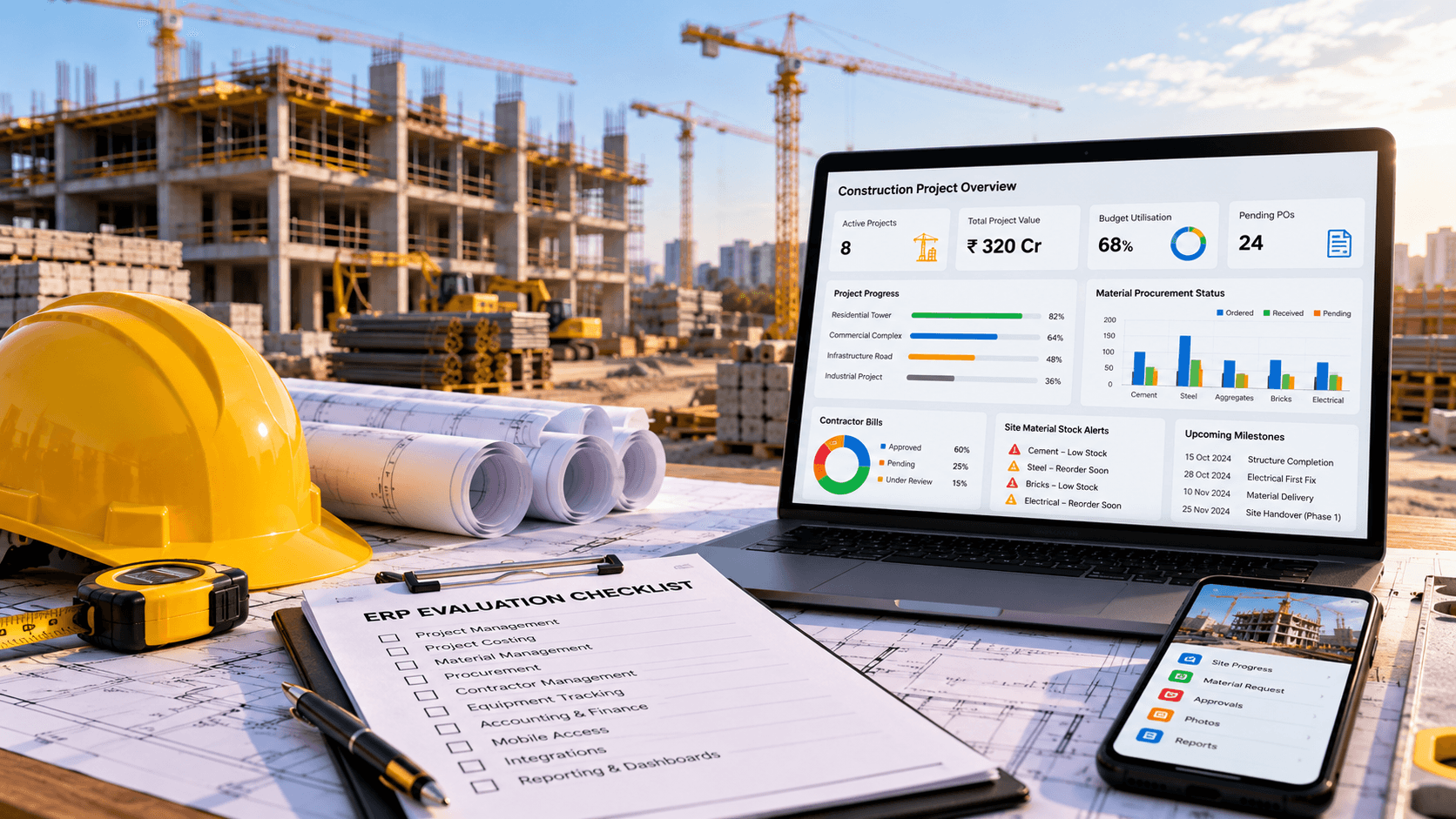
Choosing construction ERP software is an important decision for builders, infrastructure contractors, real estate developers and construction companies managing multiple projects. The right system can connect project costing, procurement, material inventory, contractor billing and accounts. The wrong choice can introduce unnecessary complexity, increase implementation costs and create additional work for site teams.
Construction businesses have different operational requirements. A residential builder may prioritise project budgets and subcontractor payments, while an infrastructure contractor may need detailed site-wise material tracking, equipment utilisation and work measurement.
Before investing in a system, businesses should understand their workflows, identify operational gaps and evaluate software against real project scenarios.
This guide explains what to look for when selecting construction ERP software, how to compare custom and ready-made solutions, and how to plan an implementation that fits your business.
What Is Construction ERP Software?
Construction ERP software is a business management system that connects construction operations with financial and administrative processes.
Depending on its modules, it can help companies manage:
- Project planning and progress tracking
- Project estimation and budgeting
- Bill of Quantities (BOQ)
- Material procurement and inventory
- Vendor and subcontractor management
- Labour and workforce records
- Equipment and machinery costs
- Contractor bills and customer billing
- Accounting and financial reporting
- Documents, approvals and management dashboards
The main advantage of an integrated system is that information can flow between departments instead of being maintained in separate applications.
For example, an approved purchase order can be linked to a project budget, a goods receipt can update inventory, and material issues can be recorded against a project or activity. The availability of these connections depends on the software and how it is implemented.
Why Construction Companies Consider ERP Software
Many construction businesses start with spreadsheets, accounting software and separate applications for project activities. These tools may work well initially, but coordination becomes harder as projects, sites, employees and suppliers increase.
1. Project information is scattered
When project schedules, budgets, purchase records and contractor bills are stored separately, management may not have a consistent view of project status.
An integrated ERP can bring relevant records together and reduce the need to manually consolidate reports.
2. Project costs are difficult to control
Construction expenditure includes materials, labour, subcontractors, equipment, transport and site expenses.
Connecting budgets with purchasing, inventory and accounts helps managers compare planned costs with actual and committed expenditure.
3. Material procurement lacks visibility
Procurement teams need to know what is available, what has been ordered, what is expected and what each site requires.
An ERP with inventory and procurement modules can support these workflows and make stock shortages easier to identify.
4. Contractor billing requires multiple checks
Contractor payments may depend on work orders, measured quantities, agreed rates, completed work and approval records.
A structured workflow can connect these records and make pending bills, approved amounts and payment status easier to review.
5. Reporting takes too much manual effort
When data is spread across different tools, management reports may require repeated exports and spreadsheet calculations.
An integrated system can generate reports using shared project, inventory and financial records, provided transactions are entered consistently.
Essential Modules to Look for in Construction ERP Software
Not every business needs every module from day one. Prioritise the features that solve your most important operational problems.
1. Project management
The system should help teams organise projects, milestones, work packages, schedules and progress records.
Check whether it supports your project structure, dependencies, site-level reporting and the level of planning detail your teams need.
2. Project estimation and costing
Costing features should support estimates, BOQ, budgets, actual expenses, committed costs and budget revisions.
If project profitability is important, check how the system allocates direct and indirect costs and how it handles forecasts for remaining work.
3. Material management and procurement
Look for material requests, purchase requisitions, supplier quotations, purchase orders, goods receipts, inventory balances and stock transfers.
For multi-site operations, confirm that materials can be tracked separately by warehouse, site and project.
4. Contractor and subcontractor management
The system may need to record contractor agreements, work orders, measured work, submitted bills, approval status, deductions and payments.
Confirm that these workflows match your contract terms and internal approval policies.
5. Finance and accounting
Review the system’s ability to connect project transactions with accounts payable, receivables, expense records, project costs and financial reports.
If you already use accounting software, assess whether integration is more practical than replacing it.
GST-related workflows and financial reporting should be reviewed against your actual accounting requirements and the capabilities of the selected solution.
6. Equipment and labour management
Businesses using machinery across multiple sites may need equipment allocation, maintenance schedules, utilisation records and operating-cost tracking.
Labour-related requirements may include attendance, work hours, site allocation and integration with HR or payroll systems.
7. Mobile access for site teams
Site engineers and supervisors may need to submit material requests, record progress, attach photographs, report issues and access project documents while working on-site.
Check whether the mobile interface is practical for field use. If offline access is required, confirm that it is explicitly supported and understand how records synchronise when connectivity returns.
8. Documents and approval workflows
Construction projects generate drawings, contracts, work orders, inspection records and approval documents.
Check version handling, access permissions, approval history, search capabilities and document storage requirements.
9. Dashboards and reporting
Management may need consolidated information across multiple projects, while site teams require detailed information about their own activities.
Check whether the system supports role-specific dashboards and reports for budget utilisation, stock availability, contractor bills, project progress and outstanding payments.
How to Evaluate Construction ERP Software
A feature list alone is not enough to choose a system. Evaluate each option using your actual workflows.
Step 1: Document your current processes
Map how projects are estimated, materials are purchased, stock is issued, contractors are paid and expenses are recorded.
Identify where teams duplicate data, wait for approvals or depend on manual reporting.
Step 2: Separate essential features from optional ones
Create a list of requirements and classify them as:
- Essential for the initial rollout
- Important for the next phase
- Optional or future requirements
This helps prevent unnecessary complexity and keeps the implementation focused.
Step 3: Test the software with realistic scenarios
Ask the vendor to demonstrate real tasks, not just a general dashboard.
Useful scenarios include:
- Creating a project budget from a BOQ.
- Raising and approving a material request.
- Converting an approved request into a purchase order.
- Receiving materials at a site.
- Transferring stock between projects.
- Recording a subcontractor’s measured work and bill.
- Comparing estimated costs with actual expenditure.
- Generating a consolidated report across multiple projects.
Observe how many steps each task requires and whether the system produces the information your team needs.
Step 4: Check integration requirements
List the systems that must remain in use, such as accounting, payroll, CRM, document storage or specialised project tools.
Confirm which integrations are available, whether APIs are supported, what data is synchronised and whether additional development is required.
Step 5: Evaluate usability
A system may offer extensive functionality but still be difficult for site engineers, storekeepers or accounts staff to use.
Evaluate common tasks, mobile usability, data-entry effort, training needs and the clarity of error messages.
Step 6: Review permissions and audit trails
Construction ERP can contain sensitive financial, contractual and employee information.
Check role-based access, approval permissions, transaction history, backups, security controls and the ability to investigate changes to important records.
Step 7: Calculate the total cost of ownership
Compare the complete cost of using each solution, not just the initial licence or development price.
Consider subscriptions, implementation, customisation, integrations, data migration, training, hosting, maintenance and future upgrades.
Step 8: Speak to the implementation team
Clarify who will handle requirements, testing, data migration, training, issue resolution and ongoing support.
Ask for a documented scope, delivery milestones, acceptance criteria and a process for handling changes.
Custom Construction ERP vs Ready-Made Software
Both approaches can work well. The right choice depends on how closely standard software matches your business processes.
| Evaluation factor | Ready-made ERP | Custom construction ERP |
|---|---|---|
| Initial functionality | Existing modules may be available | Built around agreed requirements |
| Implementation approach | Configure and adapt standard workflows | Design and develop required workflows |
| Specialised costing rules | Depends on product flexibility | Can be designed for specific needs |
| Integration requirements | Depends on available connectors and APIs | Can be developed where technically feasible |
| Initial cost | Licence and implementation costs | Development and implementation costs |
| Maintenance | Vendor-led updates and support, depending on agreement | Requires a defined support and upgrade arrangement |
| Business process changes | May require adapting existing processes | Can accommodate agreed specialised processes |
| Long-term flexibility | Depends on vendor roadmap | Depends on architecture, documentation and ongoing investment |
When ready-made software makes sense
Consider ready-made ERP when:
- Standard workflows cover most requirements.
- You want to use existing features.
- The product supports your integrations.
- Your team is comfortable adapting to the software’s processes.
- The total licence and implementation costs fit your budget.
When custom construction ERP makes sense
Custom development may be worth evaluating when:
- Your project costing methods are specialised.
- You need unique BOQ or contractor billing workflows.
- Multiple business units require different approval rules.
- Your operations depend on site-specific processes.
- Existing software cannot support important integrations.
- You need a tailored combination of web and mobile workflows.
Custom software is not automatically better. It requires clear specifications, testing, documentation, security controls and a long-term maintenance plan.
Some companies may benefit from a hybrid approach: using an established accounting system while building custom construction workflows around it.
Common Mistakes to Avoid When Choosing Construction ERP
Choosing based only on price
A low initial price may not include essential modules, integrations, migration or ongoing support. Compare the full cost over the expected period of use.
Buying too many modules at once
Implementing every possible feature immediately can complicate adoption. Prioritise the workflows that create the most operational value and expand in planned phases.
Ignoring site-level requirements
A system designed mainly for office users may not fit the daily work of site engineers and storekeepers. Include actual site users in demonstrations and testing.
Overlooking data migration
Existing spreadsheets may contain duplicate suppliers, inconsistent material codes, incorrect balances or incomplete project records. Clean and validate data before migration.
Assuming every integration is automatic
Accounting, payroll, barcode scanners, equipment systems and external applications may require configuration or custom development. Confirm the scope and responsibilities for each integration.
Skipping user training
Even a well-designed system can produce unreliable information if users do not understand how to record transactions. Include training, process documentation and support in the implementation plan.
Failing to define success criteria
Before implementation, decide how the business will evaluate the rollout. Suitable measures may include reporting preparation time, stock reconciliation accuracy, approval turnaround time or the percentage of transactions recorded against the correct project.
These should be measured against an established baseline rather than presented as guaranteed improvements.
How Much Does Construction ERP Software Cost?
Construction ERP costs vary considerably according to the number of users, modules, sites, integrations and implementation requirements.
The main cost components may include:
- Software licence or development
- Requirements analysis and process design
- Module configuration or customisation
- Data migration and validation
- Accounting and third-party integrations
- Mobile application development
- Hosting and infrastructure
- User training and rollout
- Maintenance, support and upgrades
A business needing basic project costing and material management has a different scope from a large contractor requiring multi-project reporting, complex subcontractor billing, equipment tracking and several integrations.
For a meaningful estimate, document the essential modules, user roles, current systems, expected integrations and rollout priorities before requesting proposals.
How Long Does Construction ERP Implementation Take?
There is no single timeline that applies to every construction business.
A focused implementation with limited modules and clean data may require less work than a multi-site ERP involving custom workflows, several integrations and extensive migration.
The timeline depends on:
- Number and complexity of modules
- Availability and quality of existing data
- Integration requirements
- Number of sites and user roles
- Custom approval workflows
- Testing and user acceptance
- Training and change management
Ask for a phased implementation plan with clear milestones, dependencies and acceptance criteria. This makes progress easier to evaluate and reduces ambiguity about what will be delivered.
How Ozrit Can Help
Ozrit develops custom software solutions for businesses that need systems aligned with their operational requirements.
For construction companies, a tailored ERP solution can be planned around:
- Project planning, estimation and costing
- BOQ and material management
- Procurement and supplier workflows
- Contractor and subcontractor billing
- Equipment and workforce records
- Project accounts and financial reporting
- Mobile workflows for site teams
- Management dashboards
- Integration with existing systems
The implementation can be scoped around the company’s priorities rather than assuming that every business requires the same modules.
Ozrit can work with your team to document the workflows, define the initial scope and evaluate which features should be implemented first.
Explore Construction ERP Software development services to discuss your requirements.
Frequently Asked Questions
What should construction ERP software include?
Common modules include project management, BOQ, costing, procurement, inventory, contractor management, accounts and reporting. The appropriate combination depends on the company’s operations.
Is construction ERP suitable for small construction companies?
It can be, provided the selected system matches the company’s scale, budget and requirements. Smaller businesses may begin with a focused set of modules and expand as operations grow.
Can construction ERP manage multiple projects?
Many systems support multiple projects, site-wise records and consolidated reporting. Confirm how the software handles shared resources, inter-site stock transfers, project permissions and financial reporting.
Can construction ERP integrate with accounting software?
Integration may be possible through an existing connector or API, depending on the accounting system. Confirm which transactions and records are synchronised and how errors are handled.
Should I build custom construction ERP software or buy an existing product?
Choose ready-made software when its standard features meet your needs. Consider custom development when important workflows or integrations cannot be supported adequately by existing products. Compare total cost, implementation effort and long-term maintenance.
Can construction ERP include a mobile app for site engineers?
Yes, a construction ERP implementation can include mobile workflows for progress reports, material requests, site photographs, approvals and other field activities. Offline functionality must be planned and verified separately if required.
How do I estimate the cost of construction ERP software?
Define the modules, users, sites, integrations, data migration and deployment requirements. These details help software providers prepare a more realistic cost estimate.
What should I prepare before contacting a construction ERP developer?
Prepare an overview of your projects, current software, major operational problems, required modules, user roles, reports and integration needs. Sample forms, spreadsheets and existing reports can also help clarify the scope.
Conclusion
Choosing construction ERP software requires a clear understanding of how your business manages projects, costs, materials, contractors and accounts. The best solution is one that fits those workflows, provides reliable reporting and can be implemented within your operational and financial constraints.
Evaluate software using real project scenarios, confirm integration requirements, calculate total ownership costs and plan implementation in manageable phases.
If standard products do not support your essential workflows, custom construction ERP development may be an option worth assessing. Start by documenting your requirements and identifying the processes that need the most improvement.