
Intelligent Process Automation Services
Automation that goes beyond fixed rules: bots that follow the process, with AI to read, classify and decide where the work needs judgement.
OZRIT combines workflow engines, robotic process automation and AI to automate end-to-end business processes. We start by finding which steps are worth automating, build the automation with exception handling, and report the time and error reduction against a baseline.
Tell us what you need
A consultant replies within one business day. No sales deck.
- 17+years building softwareFounded in Hyderabad in 2009
- 500+in-house engineersFull-time, not freelancers
- ISO/IEC 27001:2022certifiedFor information security
- 98%client retentionLong-term partnerships
Intelligent process automation, explained
Traditional automation breaks when the input changes. AI lets it cope with the email, the scan and the exception.
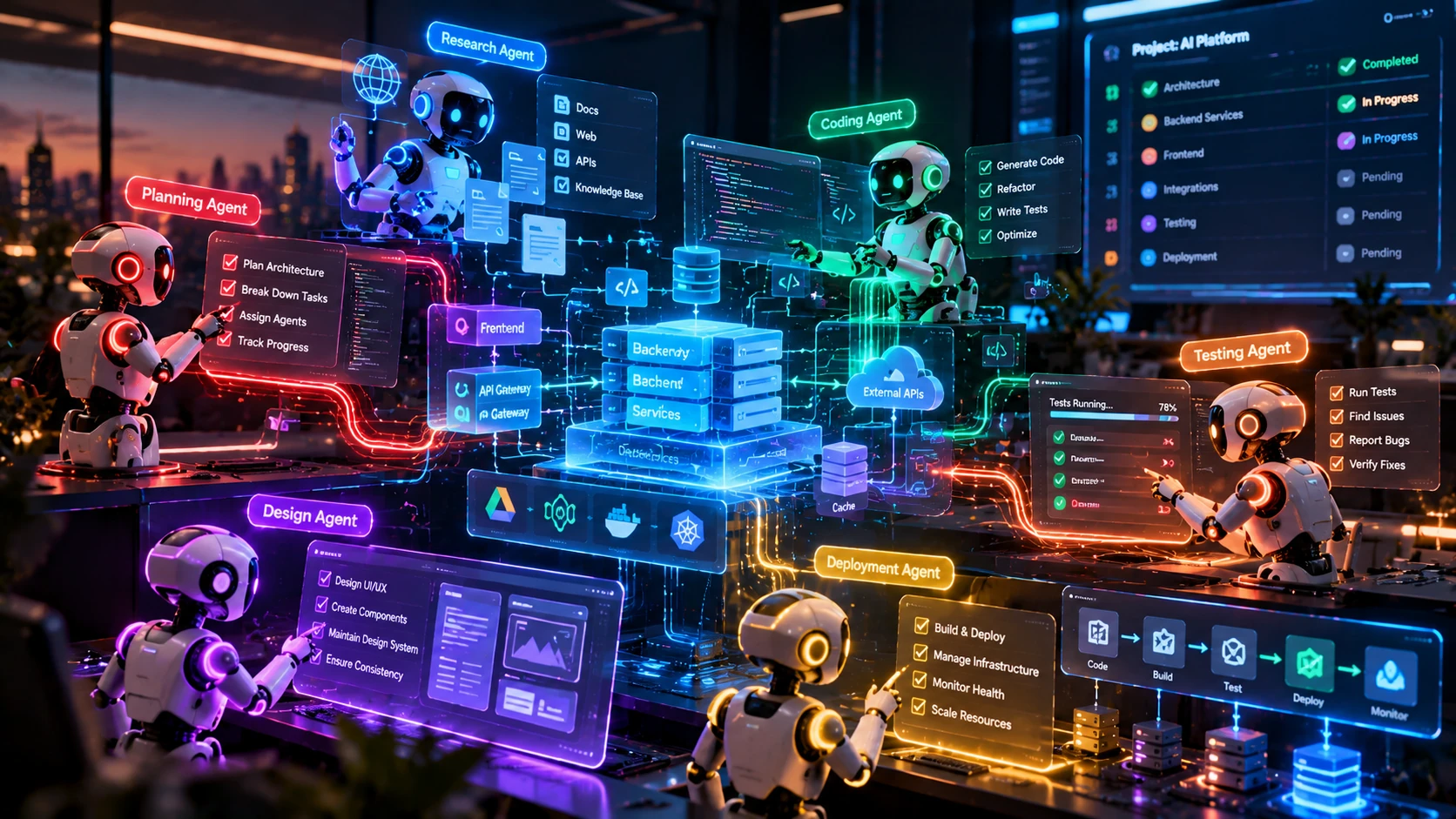
Intelligent process automation, sometimes called hyperautomation, joins three techniques. Workflow rules and bots handle the predictable steps, such as moving data between systems. AI handles the steps that need understanding, such as reading an invoice, classifying a request or deciding which team should act. People handle the exceptions that need real judgement.
The value is in the combination and in the design of the edges. Most automation projects fail at the exceptions, not the main path. OZRIT maps the process as it really runs, including the awkward cases, builds queues and approvals for exceptions, and measures how much work flows through without touching a person.
We choose the lightest tool that works. Some steps need only a scheduled integration or a rule, some need a bot that operates a legacy screen, and some need a model. You pay for AI only where it earns its place.
Automation also changes how people work, so we involve the team that runs the process from the start. They help define the exceptions, test the results and decide when the automation can take more on its own, which is what makes the change stick rather than being worked around.
- Process discovery and mapping
- Workflow and rules automation
- RPA for legacy systems
- AI for reading and decisions
- Exception handling
- System integration
Intelligent process automation services
From finding the right process to running it reliably.
Process discovery and mapping
We map how the work really runs, measure time and errors, and rank steps by automation value.
Workflow and rules automation
Approvals, routing, notifications and data movement built as dependable workflows.
RPA for legacy systems
Bots that operate screens and files in systems that have no API.
AI for reading and decisions
Models that classify requests, read documents and recommend decisions inside the process.
Exception handling
Queues, approvals and escalation paths so unusual cases reach the right person with context.
System integration
Connections to ERP, CRM, email, spreadsheets and databases, through APIs where possible.
Monitoring and reporting
Dashboards for volumes, straight-through rate, errors and time saved against your baseline.
Governance and audit trails
Logs of every action, role-based access and change control, ready for audit.
How we automate a process
Six steps that put measurement before automation.

Assess and automate
First process live in about 6 to 10 weeks
- 1
Map and measure
We document the process and record volumes, time per case and error rates as the baseline.
- 2
Pick the right steps
We choose steps that are frequent, rule-bound or readable by AI, and worth the effort.
- 3
Design the automation
We decide which parts use rules, bots or AI, and design the exception paths.
- 4
Build and integrate
We build the workflow, bots and AI components and connect them to your systems.
- 5
Pilot alongside staff
We run the automation next to your team and compare results with the baseline.
- 6
Scale and monitor
We widen coverage, track straight-through rate and add the next process.
Process automation use cases
Processes that often suit intelligent automation.
Procure to pay
Purchase requests, invoice capture, three-way matching and payment approvals.
Order to cash
Order entry, invoicing, payment matching and dunning.
Customer onboarding
Document collection, checks, account set-up and welcome communications.
HR and employee services
Onboarding, leave and expense requests, and routine policy queries.
Claims and case handling
Intake, triage, document review and routing to the right handler.
IT and service operations
Access requests, ticket routing, incident updates and routine fixes.
Intelligent process automation for your industry
The same build applies across sectors, but the data, rules and risks differ. These are the industries where we are asked for it most.
Enterprise software development
The ERP, CRM and SaaS platforms that AI features plug into, built and integrated by the same team.
Logistics app development
Route planning, ETA prediction, proof-of-delivery checks and exception alerts for fleets and supply chains.
Fintech app development
Fraud signals, credit scoring, document checks and support assistants for lenders, payments and banks.
Healthcare app development
Record summaries, triage support, scheduling and personalised plans for providers and health-tech teams.
Retail and eCommerce app development
Product search, recommendations, demand forecasting and support assistants for stores and marketplaces.
Education app development
Tutoring assistants, content generation, assessment help and engagement analytics for learning platforms.
The technology behind our automation
We use the lightest tool that does the job, and AI only where it earns its place.
Workflow and RPA
Rules and bots
- n8n
- Temporal
- Camunda
- UiPath
- Power Automate
- Playwright
Models
Chosen per task, cost and privacy need
- OpenAI GPT
- Anthropic Claude
- Google Gemini
- Meta Llama
- Mistral
- Hugging Face models
Integration
Connecting systems
- REST APIs
- Webhooks
- Kafka
- RabbitMQ
- PostgreSQL
- Node.js
Cloud and deployment
In your cloud account or ours
- AWS Bedrock and SageMaker
- Azure OpenAI and ML
- Google Vertex AI
- Docker
- Kubernetes
What decides the cost of process automation
Automation is priced by the number of steps, systems and exceptions involved.
Process complexity
More steps, branches and approval rules mean more design and testing.
Number of systems
Each system connected adds integration work, and legacy screens need bots.
Exception rate
Processes with many unusual cases need larger review workflows.
AI components
Reading documents or classifying requests adds model work and evaluation.
Volume and speed
High volumes and tight timings need more robust infrastructure.
Support and change
Processes change, so updates and monitoring are agreed as a monthly plan.
Security and privacy in Intelligent process automation
A security or compliance team will ask where the data goes, who can see it and how quality is checked. These are the safeguards we build into every project.
Where your data lives
Models can run in your own cloud account or on private endpoints, with provider settings that stop your data being used for training. You choose the region.
Access control
Assistants respect the permissions of the person asking. Someone who cannot open a document cannot get its content through a chat window either.
Testing before launch
We build an evaluation set from your real cases and measure accuracy, safety and cost before and after every change, not just once at launch.
Certification and ownership
OZRIT is ISO/IEC 27001:2022 certified for information security. You own the code, prompts, models you commission and your data.
All eight AI safeguardsCertifications and AI frameworks we work to
Intelligent process automation: frequently asked questions
Straight answers on cost, timelines, data, security and ownership.
What is intelligent process automation?
It combines workflow rules, robotic process automation and AI to automate whole business processes. Rules and bots handle predictable steps, AI handles reading and decision steps, and people handle exceptions.
How is it different from RPA?
RPA follows fixed rules and breaks when inputs vary. Intelligent process automation adds AI, so the process can read unstructured documents and emails, classify requests and make recommendations, which widens what can be automated.
How much does process automation cost?
It depends on process complexity, the number of systems, the exception rate and any AI components. A discovery sprint from $1,000 assesses a process and ends with a scoped quote.
How long does it take to automate a process?
A first process typically takes 6 to 10 weeks from assessment to a pilot running alongside your team. Complex, multi-system processes take longer, and we agree the plan before starting.
Which processes should we automate first?
Start with processes that are frequent, follow mostly clear rules, involve several systems and have measurable time or error costs. Invoice handling, onboarding and request routing are common first choices.
What happens to exceptions?
Exceptions go to a review queue with the case history and the reason they were flagged. Handling them well is a core part of the design, because exceptions are where many automations fail.
Can you automate processes in old systems without APIs?
Yes. Bots can operate screens and files in legacy systems, though we prefer APIs where they exist because they are more stable. We assess each system and recommend the most reliable connection.
How do you measure the return?
We record a baseline for volumes, time per case and errors before building, then report the same measures after launch, plus the share of cases that flow through without human touch.
Is it secure and auditable?
Yes. Automations run with role-based access, store credentials securely, log every action and keep change records for audit. OZRIT is ISO/IEC 27001:2022 certified for information security.
Do you work with tools we already use?
Yes. We can build on platforms you already pay for, such as Power Automate or UiPath, or build custom workflows where that is cheaper to run and easier to change.
Find your first process to automate
Tell us about a process that takes too much time or breaks too often. We will say whether it suits automation and what a first release would involve.
What happens next
- 1An AI consultant reads your note and may reply with a few questions.
- 2We hold a call to understand the problem, your data and the systems involved.
- 3If AI fits, we propose a discovery sprint or a scoped pilot with clear success measures.