
Legacy ERP Migration for Food Manufacturers: A Practical Guide
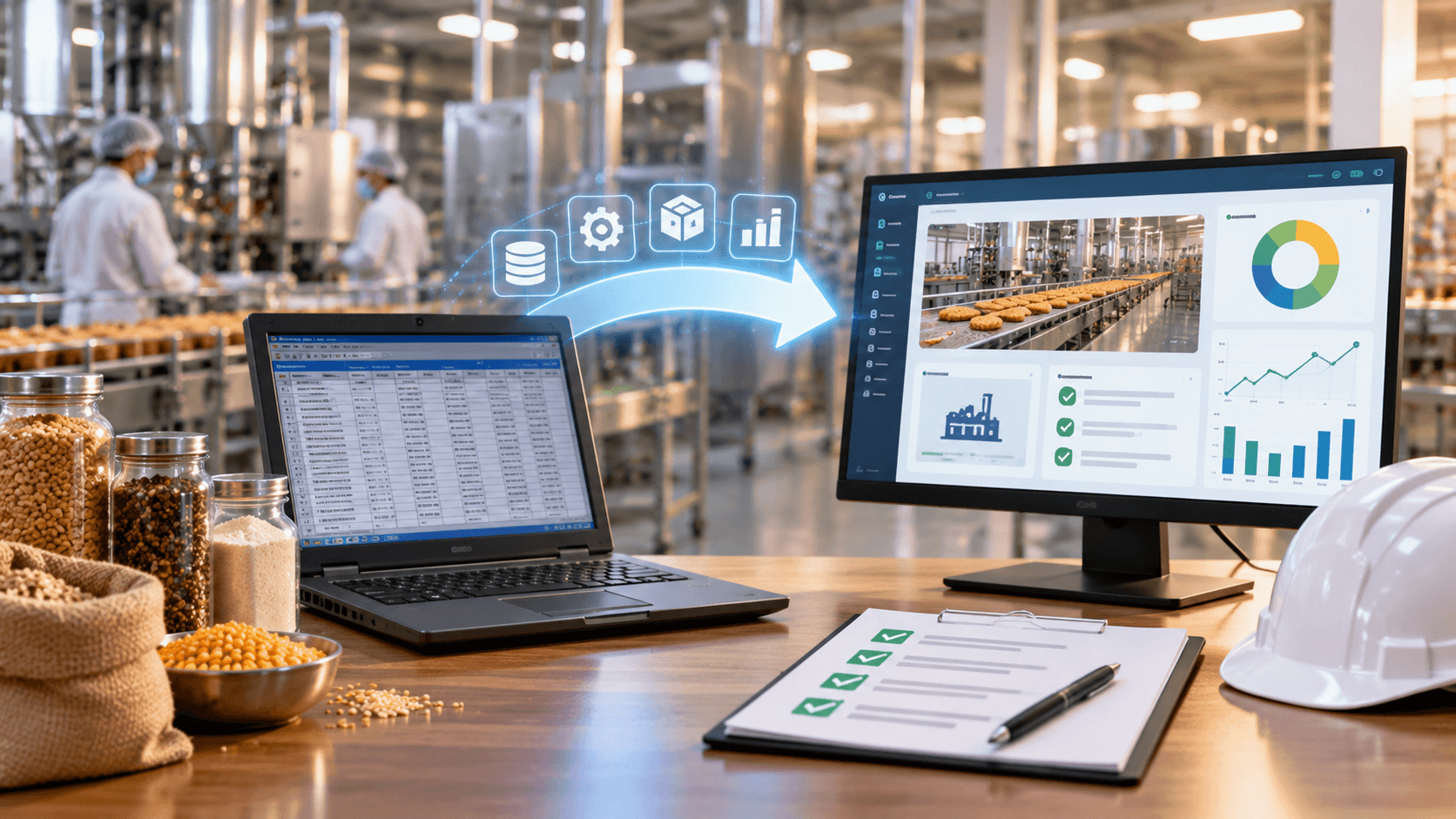
Many food manufacturing companies still depend on older ERP systems, desktop applications, spreadsheets and disconnected software to manage daily operations. These systems may have supported the business for years, but as production volumes increase and operations become more complex, their limitations become harder to ignore.
Inventory records may not match physical stock. Production teams may maintain separate batch records. Finance teams may spend hours reconciling data, while management struggles to get an accurate view of factory performance.
Replacing an existing ERP system can help address these problems, but migration must be planned carefully. A poorly managed transition can disrupt production, delay dispatches and affect business operations.
In this guide, we explain how food manufacturers can plan a legacy ERP migration, avoid common mistakes and move towards a more connected manufacturing system.
What Is Legacy ERP Migration?
Legacy ERP migration is the process of moving from an outdated enterprise resource planning system to a modern ERP platform or a newly developed business application.
Depending on the existing environment, migration may involve:
- Replacing an old ERP with a modern packaged solution.
- Developing a custom ERP around specific manufacturing workflows.
- Migrating from spreadsheets and standalone applications to a centralised system.
- Moving an on-premises application to a cloud-based environment.
- Integrating existing applications instead of replacing everything.
- Modernising the current system while retaining essential business logic.
The right approach depends on the condition of the existing software, the quality of historical data, business requirements and the cost of maintaining the current system.
For food manufacturers, migration must also account for production schedules, inventory accuracy, batch traceability, quality records and dispatch commitments.
Why Food Manufacturers Replace Legacy ERP Systems
1. Disconnected Production and Inventory Records
When production, warehouse and purchasing teams use separate systems, the same information may be entered multiple times.
For example, a snack manufacturer may record raw material receipts in one application, ingredient consumption in a spreadsheet and finished-goods stock in accounting software.
This makes it difficult to understand actual material availability and production performance.
A modern ERP can connect these workflows so that material issues, production consumption and finished-goods receipts are recorded consistently.
2. Limited Batch Traceability
Food manufacturers need to understand where raw materials came from, which production batches used them and where finished products were dispatched.
Older systems may not maintain these relationships in a searchable format.
A migration project can introduce structured batch and lot records, supplier references, production history and dispatch information. However, traceability depends on capturing accurate data throughout the process, not simply installing new software.
3. Manual Expiry and Stock Management
Managing products with different shelf lives can become difficult when expiry dates are tracked manually.
A modernised system can support expiry monitoring, batch-wise stock visibility and First Expired, First Out (FEFO) allocation where applicable.
It can also help teams identify near-expiry inventory and reduce avoidable stock losses through better planning.
4. Slow Financial Reporting
Finance teams may spend considerable time combining production, purchasing, inventory and sales data before preparing management reports.
An integrated ERP can connect material consumption, production costs, purchasing, sales and accounting workflows.
This can improve the consistency and availability of financial information, provided costing rules and accounting mappings are configured correctly.
5. Difficulties Integrating New Technology
Legacy applications may lack modern APIs or reliable integration options.
This can make it harder to connect barcode scanners, weighing equipment, laboratory systems, warehouse applications, e-commerce platforms or reporting tools.
During migration, manufacturers should evaluate which systems need replacement, which can be retained and which require integration.
6. High Maintenance and Dependency on Outdated Technology
Some businesses depend on unsupported software, old operating systems or a small number of people who understand the original application.
This can create operational and security risks.
A migration project provides an opportunity to improve documentation, access controls, system monitoring, backup procedures and long-term maintainability.
What Should Be Migrated to the New ERP?
One of the most important migration decisions is determining which data should move to the new system.
Transferring everything from the old ERP may appear convenient, but historical records can contain duplicate entries, inconsistent codes, missing fields and outdated information.
A structured data assessment should cover the following areas.
1. Master Data
Master data includes the core records used across the business.
Examples include:
- Raw materials and finished products.
- Recipes and formulations.
- Suppliers and customers.
- Warehouses and storage locations.
- Units of measurement.
- Tax codes and accounting mappings.
- Machines, production lines and work centres.
These records should be reviewed, standardised and approved before migration.
For example, if the same ingredient appears under three different names in the existing system, the business should decide whether these records represent the same material or genuinely different products.
2. Inventory and Batch Data
Inventory migration should account for stock quantities, warehouse locations, batch numbers, manufacturing dates, expiry dates and relevant quality status.
Opening stock should be reconciled with physical inventory before the new ERP becomes the primary system.
Where batch history is incomplete, the business must decide how to handle those records rather than assuming missing information can be reconstructed automatically.
3. Supplier and Procurement Records
Supplier details, purchase orders, goods receipts, outstanding invoices and relevant quality records may need to be transferred.
The scope should distinguish between current operational records and historical information retained mainly for reference or audit purposes.
4. Production and Recipe Data
Recipe versions, bills of materials, production orders, yield information and material consumption records may be required.
The migration team should validate calculations and units of measurement carefully. Even a small discrepancy in ingredient quantities can affect production planning, costing and stock accuracy.
5. Financial Data
Depending on the accounting structure and migration scope, the project may include opening balances, outstanding receivables and payables, tax-related records, cost centres and selected historical transactions.
Finance teams should reconcile the migrated figures with approved closing balances before go-live.
A Step-by-Step Legacy ERP Migration Plan
A successful migration is a business transformation project, not merely a database transfer.
Step 1: Audit the Existing System
Document the current applications, modules, integrations, users, reports and manufacturing workflows.
Identify the biggest problems, including duplicate data entry, manual approvals, reporting delays, unreliable stock records and unsupported technology.
Also identify which existing features are genuinely useful and should be preserved.
Step 2: Define the Migration Scope
Decide whether the business needs a complete ERP replacement, a phased modernisation or integration between existing systems.
Prioritise the workflows that create the greatest operational risk or consume the most time.
For example, a manufacturer may begin with procurement, inventory, batch tracking and production management before introducing advanced analytics.
Step 3: Select the Target ERP Approach
Evaluate packaged ERP products, enterprise platforms such as SAP and custom ERP development.
Compare each option against the same documented requirements, including production processes, data migration, integrations, licensing, implementation costs and maintenance.
Avoid selecting a solution based only on a sales demonstration or a feature checklist.
Step 4: Clean and Map the Data
Review existing data for duplicates, missing values, inconsistent product codes and invalid relationships.
Create a mapping document that explains how each legacy field will be transferred to the new system.
For example, an old material code may map to a new product identifier, while an existing batch reference may need to connect with the corresponding production order and finished-goods record.
Step 5: Build and Configure the System
Configure the selected ERP or develop the required custom modules.
Implement the agreed workflows, permissions, integrations, validation rules and reports.
For food manufacturers, testing should include realistic scenarios such as raw material receipt, quality rejection, production consumption, batch creation, finished-goods storage and customer dispatch.
Step 6: Run Trial Migrations
Perform one or more test migrations before moving the live system.
Check record counts, stock quantities, financial balances, batch relationships, expiry dates and transaction history.
Compare results against the source system and investigate discrepancies.
Trial migrations help identify problems before they affect daily operations.
Step 7: Train Users and Prepare for Go-Live
Train production supervisors, warehouse staff, procurement teams, quality personnel, finance teams and administrators according to their roles.
Prepare operating instructions, support contacts, backup procedures and a go-live checklist.
Users should understand not only how to operate the new system but also which records they are responsible for maintaining.
Step 8: Go Live and Monitor Operations
Choose a cutover window that minimises disruption to manufacturing and dispatch.
Depending on the business, the transition may use a phased rollout or a controlled switch to the new system.
Monitor stock accuracy, production transactions, batch traceability, integration failures and critical reports closely during the initial period.
Keep a documented fallback and recovery plan appropriate to the system’s risks.
Big-Bang vs Phased ERP Migration
Food manufacturers must decide whether to move all major operations at once or introduce the new system in stages.
Big-bang migration switches the defined scope to the new system at a single cutover point. It may reduce the period of parallel operation, but it requires extensive preparation and carries greater concentration of go-live risk.
Phased migration introduces modules, locations or business processes in stages. It can make the transition easier to manage, but temporary integrations and duplicate workflows may add complexity.
For example, a manufacturer with multiple factories might pilot the new ERP at one location, resolve issues and then roll it out to other facilities.
There is no universal best approach. The decision should reflect operational complexity, data readiness, the ability to test thoroughly and the consequences of downtime.
Common ERP Migration Mistakes to Avoid
1. Migrating Unclean Data
Moving inaccurate data into a new system simply transfers old problems to a new platform.
Clean and reconcile critical records before the final migration.
2. Ignoring Shop-Floor Workflows
An ERP may appear complete during office demonstrations but fail to match the realities of production.
Test real manufacturing scenarios, including partial batches, rejected materials, rework, production losses and changes in demand where relevant.
3. Underestimating Integration Work
Equipment and external applications may use different interfaces, formats and data structures.
Validate integration feasibility early and include monitoring, error handling and ownership in the project plan.
4. Replacing Too Much at Once
Trying to redesign every business process during one migration can increase project complexity.
Prioritise essential improvements and defer lower-priority changes when doing so reduces risk.
5. Not Involving Employees
Production and warehouse staff often understand operational exceptions that may not appear in formal documentation.
Involve actual users during requirements gathering, testing and training.
6. Failing to Plan Rollback and Recovery
A go-live plan should address failed imports, unavailable integrations, incorrect opening stock and critical application failures.
Define who makes the decision to pause or reverse the cutover, what conditions trigger that decision and how transactions will be reconciled.
7. Ignoring Post-Migration Support
The project does not end when users can log in.
Allow time for issue resolution, data reconciliation, performance monitoring, user feedback and documentation updates.
How Much Does Legacy ERP Migration Cost?
ERP migration costs vary significantly based on the source system, target platform and complexity of the business.
The main cost factors include:
- Requirements analysis and system assessment.
- Data cleaning, mapping and migration.
- Software licensing or custom development.
- Integration with equipment and external applications.
- Testing, training and documentation.
- Hosting, infrastructure and security.
- Post-launch support and maintenance.
A migration involving a single application and a limited dataset will differ significantly from a multi-factory implementation with complex manufacturing, financial and warehouse integrations.
Request a detailed estimate that separates one-time implementation costs from recurring expenses. Include contingency for unexpected data problems and integration changes.
How to Measure Migration Success
A successful migration should be measured through operational outcomes, not simply whether the new software is running.
Useful measures include:
- Accuracy of opening inventory balances.
- Percentage of critical records migrated and reconciled.
- Success rate of essential integrations.
- Ability to trace selected batches from raw materials to dispatch.
- Reliability of production and finance reports.
- Number and severity of post-launch defects.
- User adoption and reduction in manual work.
- System availability and recovery readiness.
Establish baseline measurements before migration so the business can evaluate whether the new system delivers meaningful improvements.
Avoid assuming that migration alone will reduce costs or improve productivity. Those outcomes depend on system design, data quality, process changes and user adoption.
How Ozrit Helps With Custom ERP Migration
Ozrit AI Solutions develops business software tailored to operational requirements. For food manufacturers, a migration project may involve replacing legacy applications, modernising existing workflows or building a custom ERP that connects production, inventory, quality, procurement and finance.
The appropriate approach depends on the existing system and the business objectives.
A typical engagement can include:
- Assessment of current applications and workflows.
- Requirements gathering and migration planning.
- Design of the target ERP architecture.
- Data mapping and migration validation.
- Development of required modules and integrations.
- Testing, user training and deployment support.
We recommend defining the migration scope, data responsibilities, acceptance criteria and recovery plan before implementation begins.
If your current software is limiting production visibility, batch traceability or business reporting, explore Ozrit’s Food Processing ERP Development Services.
Frequently Asked Questions
How long does legacy ERP migration take?
The timeline depends on data quality, the number of modules, integration complexity, business locations and testing requirements. A focused migration may be completed sooner than a large multi-site ERP replacement. A realistic schedule should follow an initial assessment.
Can we migrate historical data from an old ERP?
Usually, yes, if the source data can be accessed and mapped appropriately. The project should determine which historical transactions must be migrated, which can remain in an accessible archive and which records need correction before transfer.
Should we replace our entire ERP at once?
Not necessarily. A phased migration may reduce the amount of change introduced at one time. However, the transition must account for temporary integrations, data consistency and the risks of running old and new systems in parallel.
Can we migrate from spreadsheets to a custom ERP?
Yes. Spreadsheet-based processes can be assessed and replaced with structured workflows. Before migration, standardise product codes, supplier records, units of measurement, stock quantities and other important data.
How can we avoid production downtime during migration?
Plan the cutover around manufacturing schedules, test the migration thoroughly, reconcile opening balances, train users and prepare a recovery plan. The acceptable downtime and fallback approach depend on the operational requirements of each factory.
Does ERP migration guarantee better traceability?
No. The new system can provide the necessary records and relationships, but accurate traceability also requires disciplined data capture, correct batch identification and consistent operating procedures.
Conclusion
Legacy ERP migration gives food manufacturers an opportunity to improve production visibility, inventory accuracy, batch traceability and business reporting. However, the benefits depend on careful planning and execution.
Start with an assessment of the existing system, define the business requirements, clean the data and choose a migration strategy that matches your operational risks.
With a clear scope, realistic testing and proper user training, manufacturers can transition to a modern ERP environment without treating the migration as a simple software replacement.